LaunchBox Beta Versions
Written By AstroBob
Last updated 12 months ago
LaunchBox Beta Versions give you early access to upcoming features, improvements, and fixes before they reach the stable release. By downloading these beta versions, you're not just getting a sneak peek—you’re helping shape the future of LaunchBox. Your feedback directly influences how we polish and finalize each release.
🚨 A Quick Word of Caution
Beta versions are works in progress. They may contain bugs, incomplete features, or break existing functionality. If you rely on LaunchBox for a daily-use setup, you may want to hold off or use a backup before updating.
🔄 How Do I Update to a LaunchBox Beta Version?
Go to
Tools > OptionsUnder
General > Updates, check the box:Update to Beta Releases
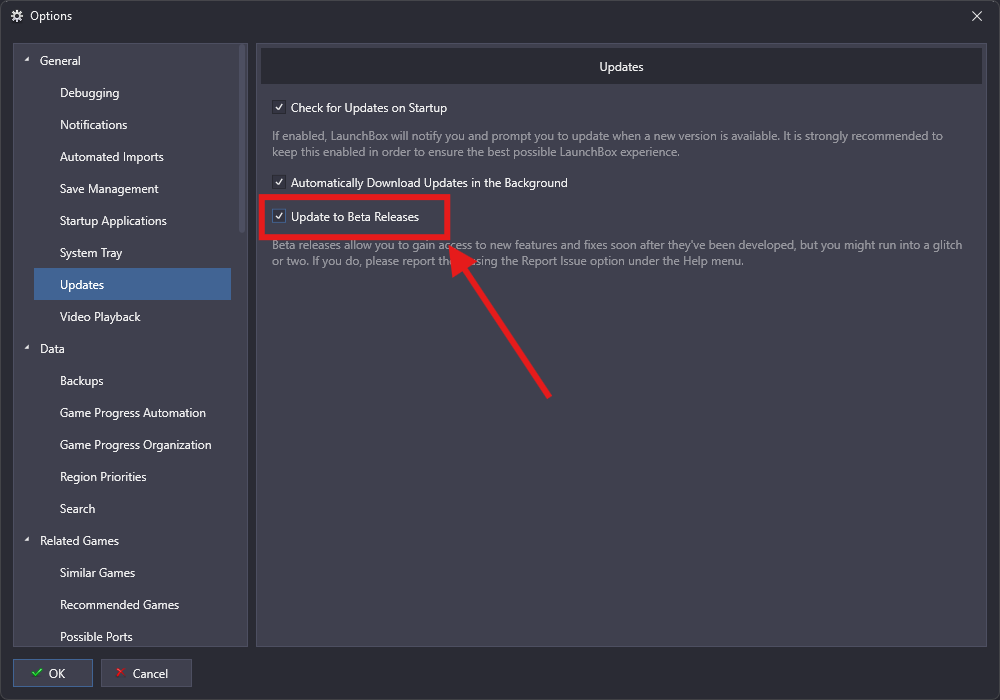
Depending on your update preferences:
It will automatically download the next time a beta is available
Or you can go to
Menu > Help > Check For Updatesto manually install the latest beta
Once the beta installs, a Beta Spotlight window will appear showing what’s new in that version and any areas where we’re looking for feedback.
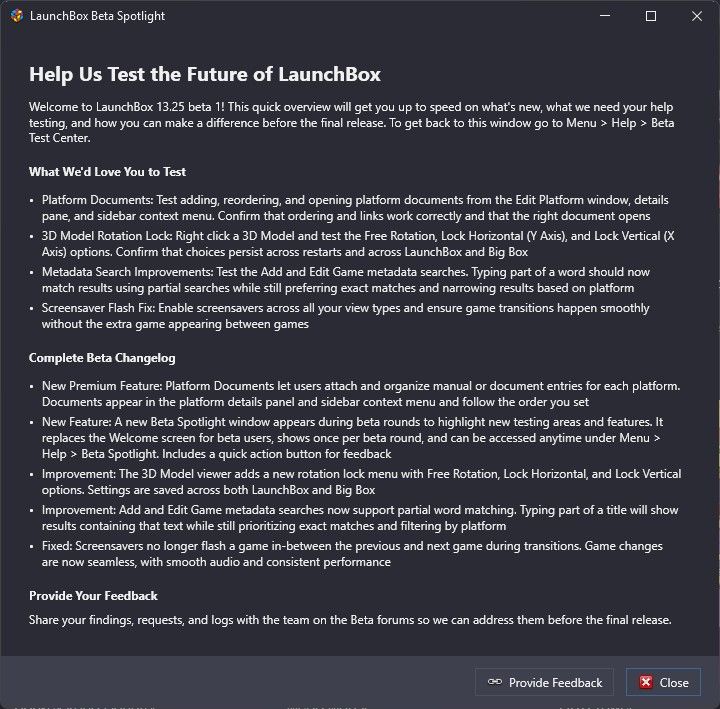
You can revisit this at any time by going to Help > Beta Spotlight
💬 How Do I Provide Feedback on a Beta?
Use the Provide Feedback button in the Beta Spotlight window. It links directly to the Beta Section of our forums.
Each beta release gets its own forum thread. Please:
Only comment on things specific to the current beta
Include clear steps to reproduce bugs when possible
Feel free to suggest improvements, not just report issues
🎉 When the Final Version is Released
You don’t need to change any settings. LaunchBox will automatically detect and install the final stable version once it’s available.
⏳ What If I Want to Revert to a Previous Stable Version?
To revert to a previous version of LaunchBox from the current beta, see our guide here: Installing, Updating, and Managing LaunchBox