LaunchBox Beta Versions
Written By AstroBob
Last updated About 1 year ago
LaunchBox Beta Versions give you early access to upcoming features, improvements, and fixes before they reach the stable release. By downloading these beta versions, you're not just getting a sneak peek—you’re helping shape the future of LaunchBox. Your feedback directly influences how we polish and finalize each release.
🚨 A Quick Word of Caution
Beta versions are works in progress. They may contain bugs, incomplete features, or break existing functionality. If you rely on LaunchBox for a daily-use setup, you may want to hold off or use a backup before updating.
🔄 How Do I Update to a LaunchBox Beta Version?
Go to
Tools > OptionsUnder
General > Updates, check the box:Update to Beta Releases
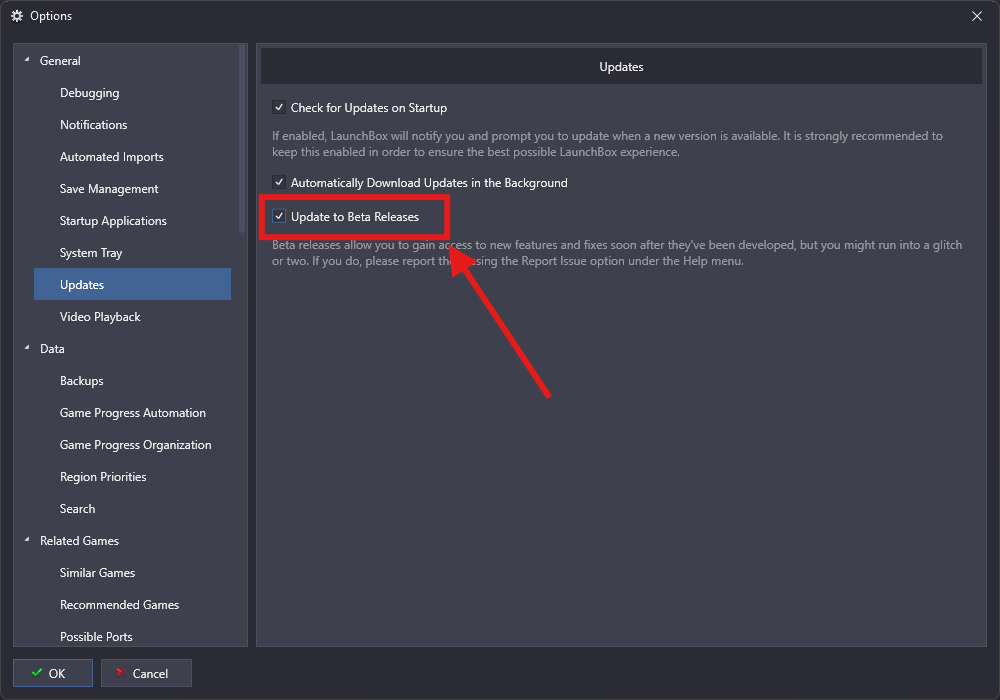
Depending on your update preferences:
It will automatically download the next time a beta is available
Or you can go to
Menu > Help > Check For Updatesto manually install the latest beta
Once the beta installs, a Beta Spotlight window will appear showing what’s new in that version and any areas where we’re looking for feedback.
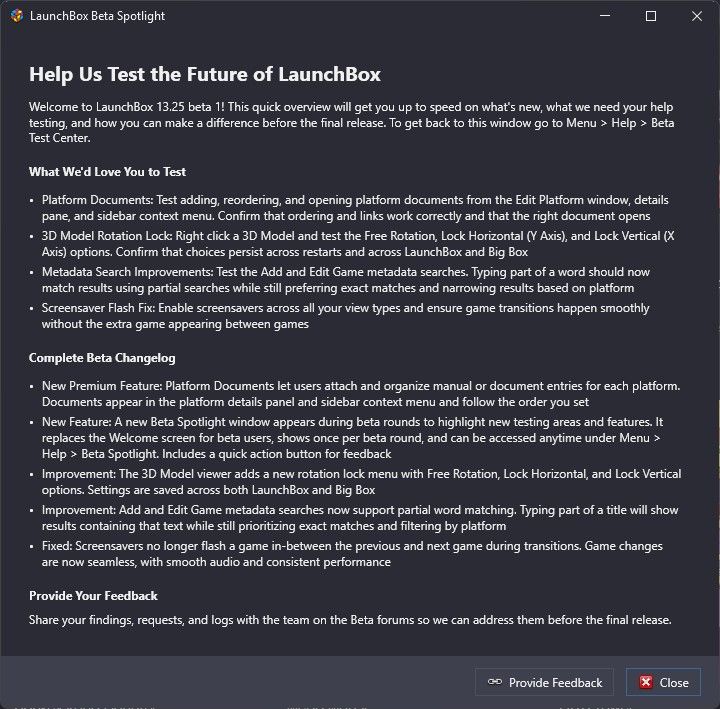
You can revisit this at any time by going to Help > Beta Spotlight
💬 How Do I Provide Feedback on a Beta?
Use the Provide Feedback button in the Beta Spotlight window. It links directly to the Beta Section of our forums.
Each beta release gets its own forum thread. Please:
Only comment on things specific to the current beta
Include clear steps to reproduce bugs when possible
Feel free to suggest improvements, not just report issues
🎉 When the Final Version is Released
You don’t need to change any settings. LaunchBox will automatically detect and install the final stable version once it’s available.
⏳ What If I Want to Revert to a Previous Stable Version?
To revert to a previous version of LaunchBox from the current beta, see our guide here: Installing, Updating, and Managing LaunchBox
Was this helpful?
Still need help? Ask the team