Badges in Big Box Browsing Views

📋 Summary
Add an option to display game attribute badges directly on Game List and Wall views in Big Box (e.g., Achievements, Light Gun, In-Progress, Favorite), so users can identify key attributes at a glance without opening the game info screen.
🎯 Feature Overview
Badge Overlay in Browsing Views: Render selected badges on each game tile/row in List and Wall views.
Per-View Toggle: Enable/disable badge overlays per Big Box view (Theme/View Options).
Badge Selection & Order: Choose which badges to show and their priority (e.g., Achievements, In-Progress, Light Gun, Broken, Installed).
Compact Styling: Configurable size/placement (corner stack, single-line strip, or condensed icons).
Theme Hooks: Expose bindings so themes can style or reposition badges.
🛠 Example Use Case
On a cabinet, the user browses their shooter playlist in Wall view and immediately spots Light Gun and Achievements badges—no need to open details to decide what to play.
📦 Benefits
Faster pick-and-play: Identify target games (e.g., achievements-ready, in-progress) while scrolling.
Fewer clicks: Less drilling into details panels.
Controller-first UX: Ideal for couch/cabinet navigation.
💡 Notes
Respect existing Hide Broken/Hidden rules and kiosk settings.
Keep performant with lazy loading/caching; show a max badge count per tile to avoid clutter.
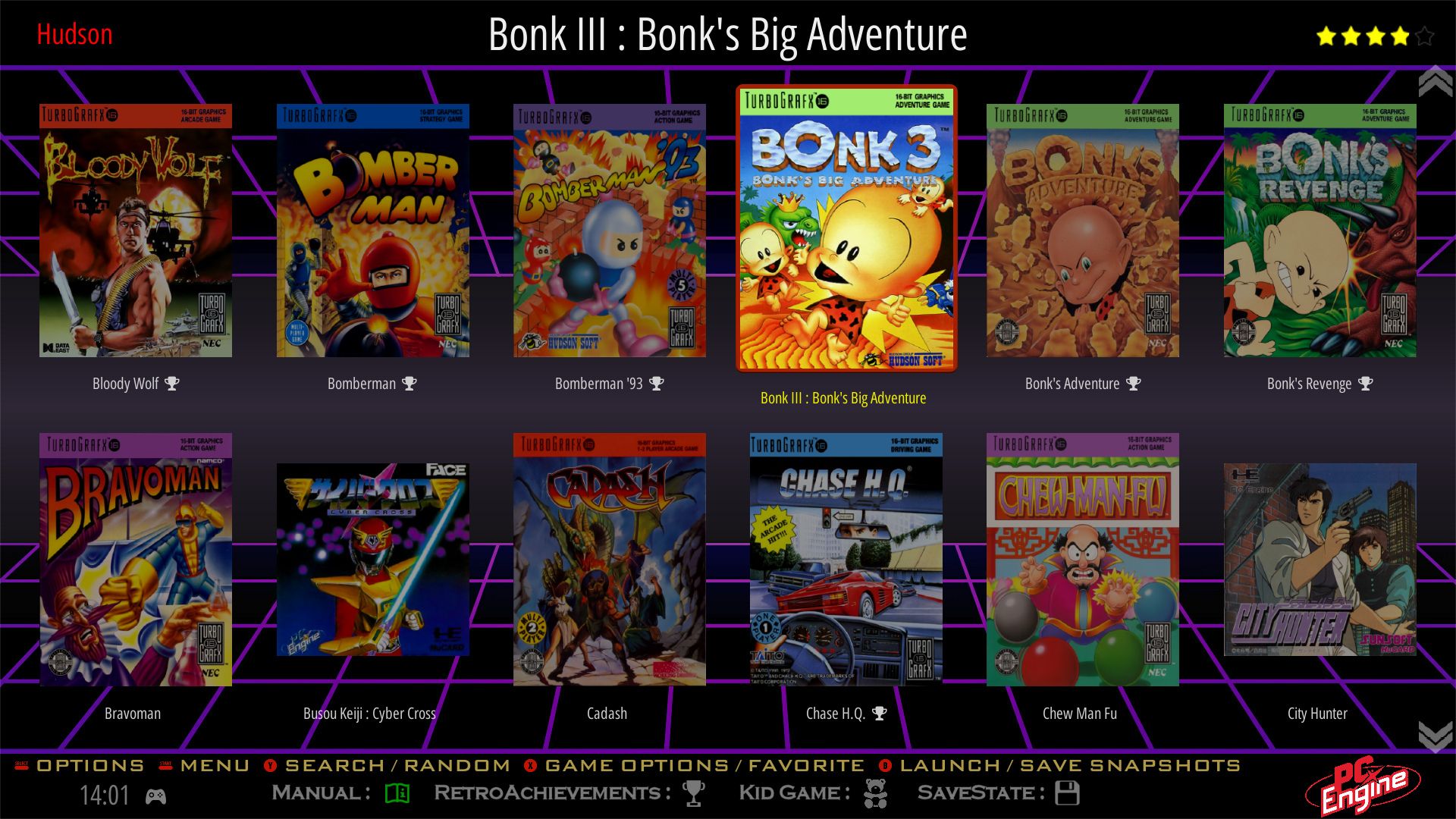
This is what it looks like in Batocera or Retrobat.
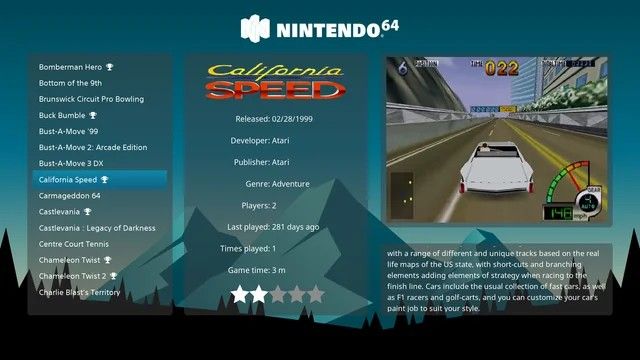
Could only find a screenshot with a single badge but it can display more attributes
Log in to comment and vote
Comments1
Sep 18, 2025
PinnedHi there!
Thanks so much for submitting this request and for taking the time to explain your use case — that context is always super helpful.
I’ve gone ahead and fleshed out the main idea using the info you provided, and I’m opening it up to the community for further discussion and feedback. Please let me know if this fleshed-out version doesn’t match your original intended request.
Feel free to let me know if you have any extra thoughts, examples, or edge cases you think might be relevant!
Cheers,
The LaunchBox team