Support for Network Drive Access on Chromebooks

Version of LaunchBox: LaunchBox for Android v1.16
Version of Windows: Not Windows but Google ChromeOS Version 131.0.6778.241 (Official Build) (64-bit)
How often the issue occurs: everytime when trying to import roms from network drives
Steps to reproduce: tap on import ROMs, select Network Drives as source
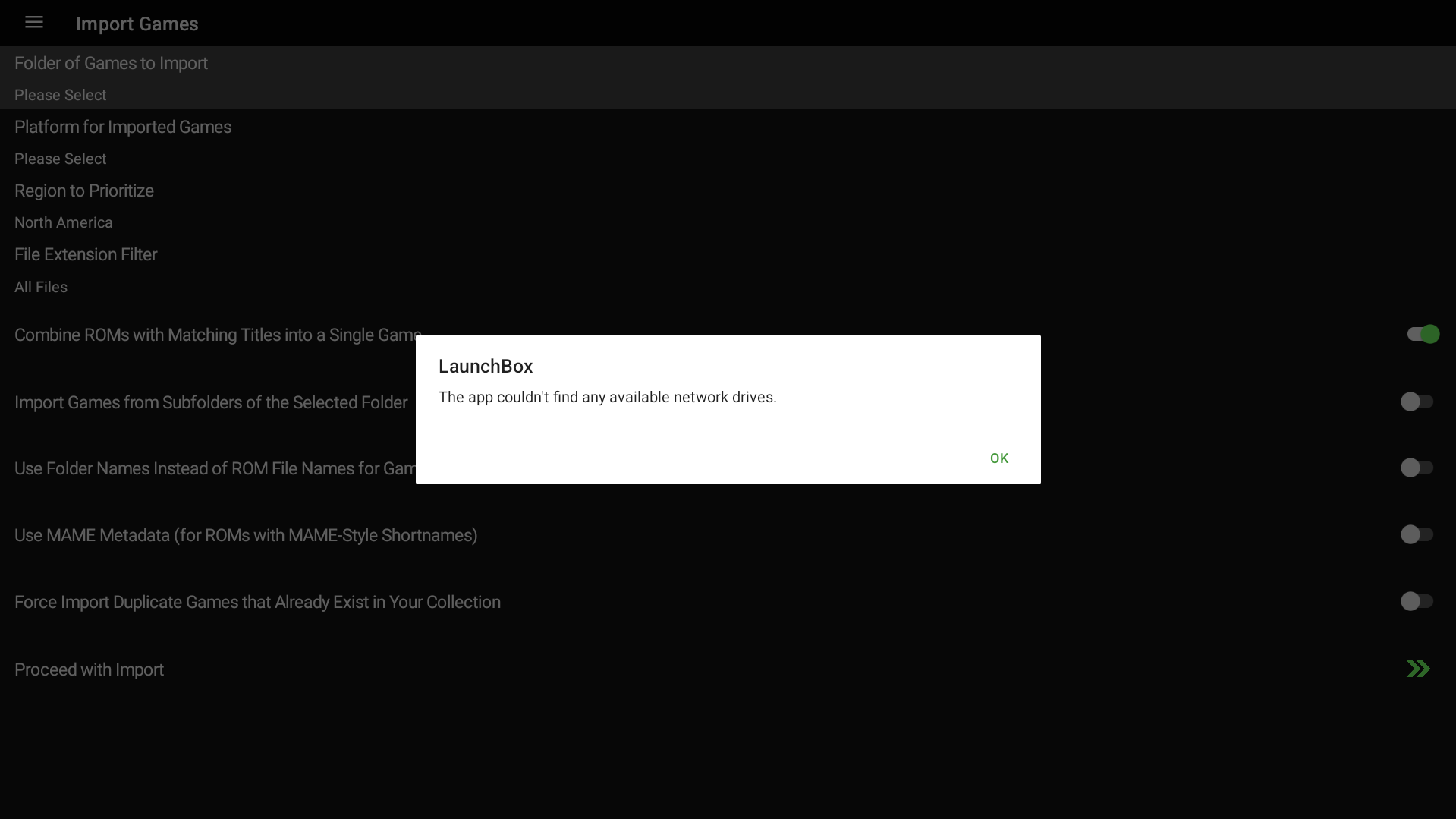
The complete error: “The app couldn’t find any available network drives”
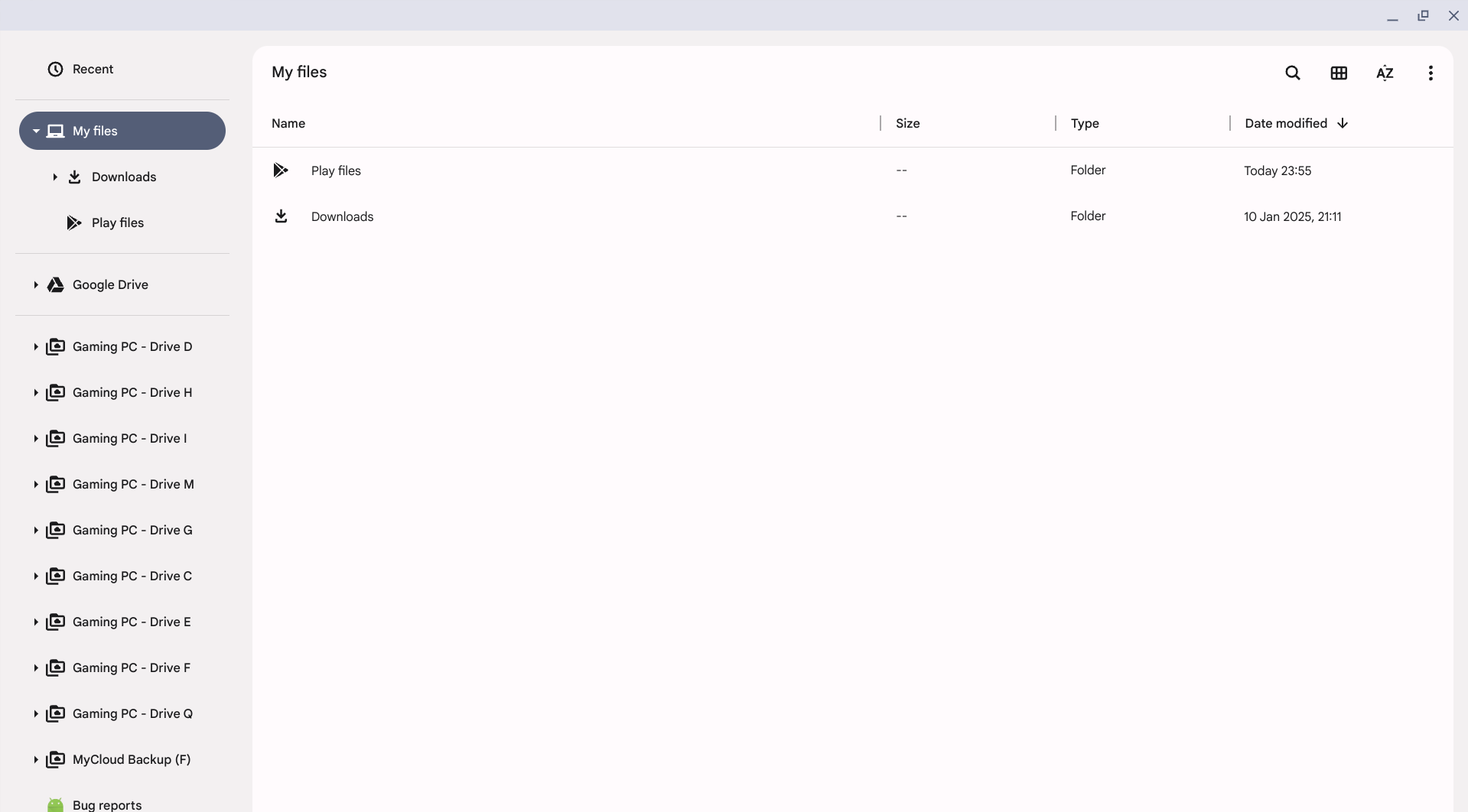
You can clearly see the error in the screenshot, and the proof that in fact network drives are attached to file manager, but not found by LaunchBox for Android.
Third-party Android apps on ChromeBooks specifically, that I tested and support network drives:
Synthesia (natively in file manager open-file-dialog, through global network drive mapping in settings)
Google File Manager (natively in file manager open-file-dialog, through global network drive mapping in settings)
CIFS Documents Provider (Workaround via a connection manager)
Cx File Explorer (Workaround via a connection manager)
VLC (Workaround via a connection manager)
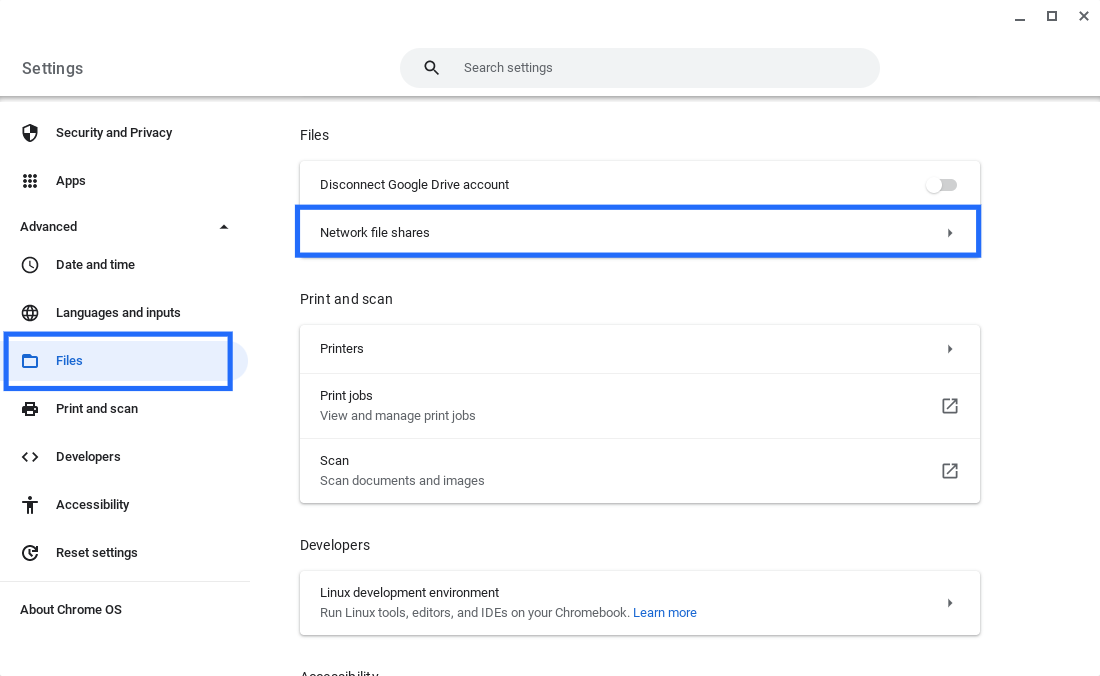
Screenshot of the global setting for adding network drives on ChromeBooks:
Log in to comment and vote
Comments8
ChunkyLoverMark
Feb 22, 2025
With Chrome Books eventually being migrated to the Android Kernel: https://blog.chromium.org/2024/06/building-faster-smarter-chromebook.html?m=1
It's probably not worth the effort now, to add NAS support for the VM when in the future it'll be native.
AstroBob
Feb 13, 2025
Hi there,
Thanks for reporting this issue and for providing detailed information on how other apps handle network drive access on Chromebooks. We appreciate the time you took to test this and share your findings!
Currently, LaunchBox for Android runs within ChromeOS’s Android virtual machine, which has network restrictions that prevent apps from directly accessing local network drives. Some apps, as you’ve noted, have implemented Chromebook-specific solutions to work around this limitation. While this is something we could potentially investigate adding to our Android app, it would require a significant development effort and would only apply to Chromebook users specifically.
At this time, we don’t have immediate plans to implement this, however, we’ll keep this in mind as we continue refining LaunchBox for Android. If more users express interest in this functionality, it may help prioritize it in the future.
Thanks again for your feedback, I’m going to move this over to our Android feature board since it’s more of a feature than a bug.
Thanks,
Jazzjohannes
Feb 13, 2025
Could you then please also clarify that to your users who genuinely buy the Android version for it’s ChromeBook use of the ‘Android' version?! Otherwise it’s just false-advertising. Thank you.